OpenStreetMap logo OpenStreetMap

SomeoneElse's Diary

Recent diary entries

New values in map legend

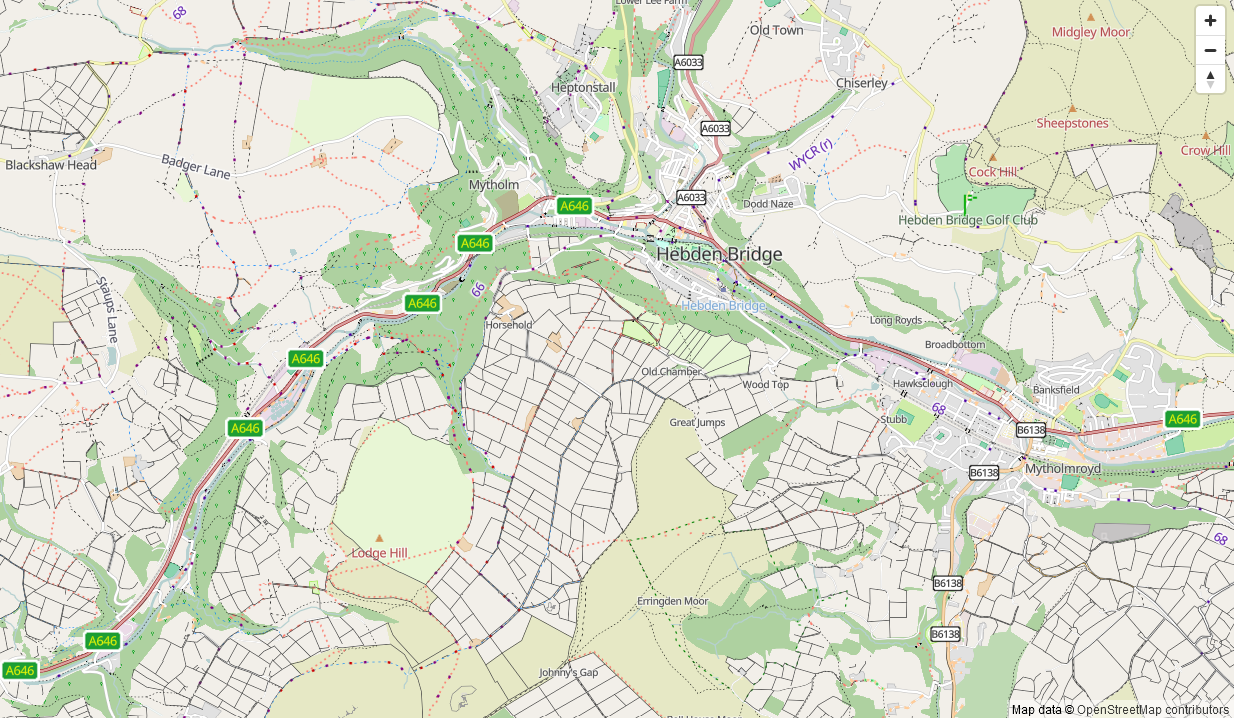
I look after a map style that’s designed to show rural pedestrian-focused information (hiking routes etc.). It natively supports zoom levels up to raster 24 and vector 26 (which is equivalent to raster 27), which means that small things like fire hydrants and manholes can be shown at high zooms without getting in the way of everything else. The raster and vector versions differ slightly, partly for technological restrictions (finding out “which routes this guidepost is part of” is easier on vector than raster).

A big question, though, is how do I find out what is missing? The styles evolved from an overlay for the the OSM Carto raster style in 2014 and have been added to ever since. However, the things that people map in OSM has increased a lot in that time. Sometimes I spot something obvious that’s missing, but how do I make sure that I haven’t ignored some relatively high-usage and important tag?

See full entry

Location: Thomondtown, Fingal, County Dublin, Leinster, K45 FV38, Ireland

A Shortbread map style that looks a bit less beige

Posted by SomeoneElse on 20 November 2025 in English. Last updated on 30 November 2025.

Zaandam Station, svwd03

The https://www.openstreetmap.org website currently has two “OSM-hosted” map styles on it - the “Standard” style (raster tiles) and a “Shortbread” one. The schema for “Shortbread” is here, and the display style shown is “Colorful” from Versatiles. It looks like this:

See full entry

Location: Rosmolenbuurt, Zaandam, Zaanstad, North Holland, Netherlands, 1502 CJ, Netherlands

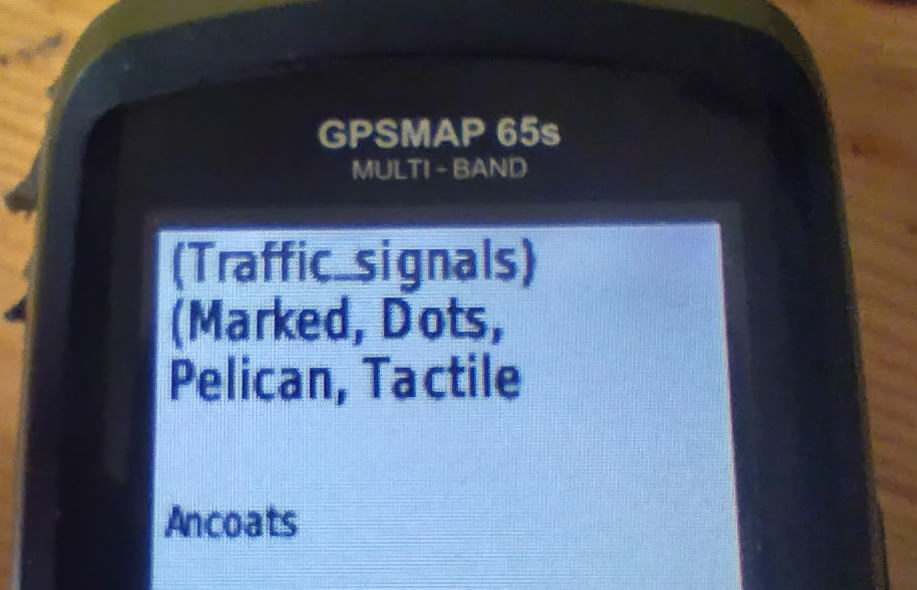
… and following on from the previous entry, Maps for Garmin devices at map.atownsend.org.uk now show crossing details too:

A picture of a Garmin handheld saying "(traffic_signals) (marked, dots, pelican, tactile"

The following tags from the top-level feature are shown:

  • traffic_signals or crossing
  • The value of crossing if it adds extra information
  • The value of crossing:island, crossing:marked, crossing_ref etc. if they add extra information.
  • Information from tactile_paving and kerb.

All of this might be truncated for length (it is here), but the most important information does appear.

Location: Central Retail District, City Centre, Manchester, Greater Manchester, England, M4 3AD, United Kingdom

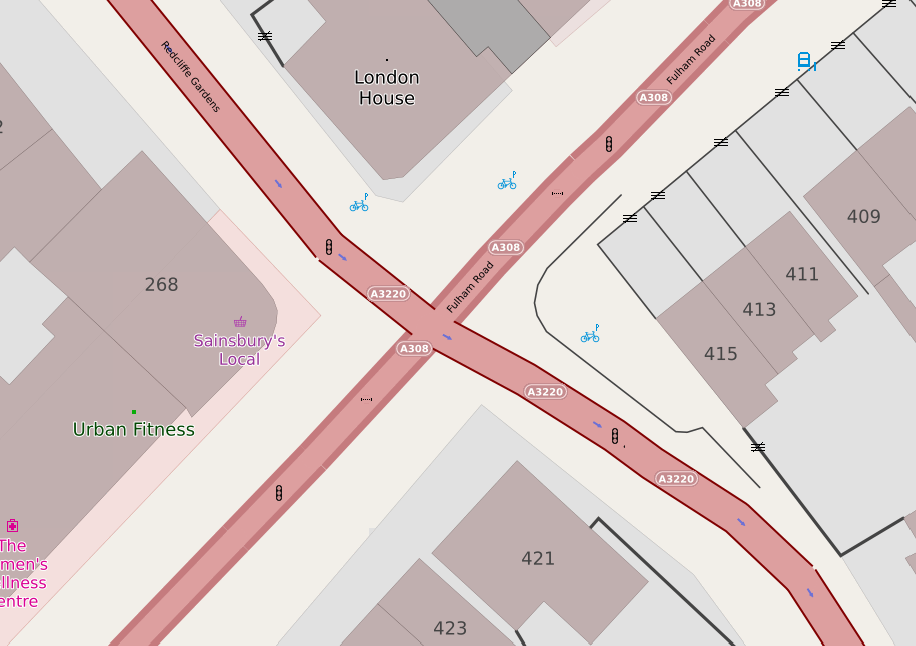
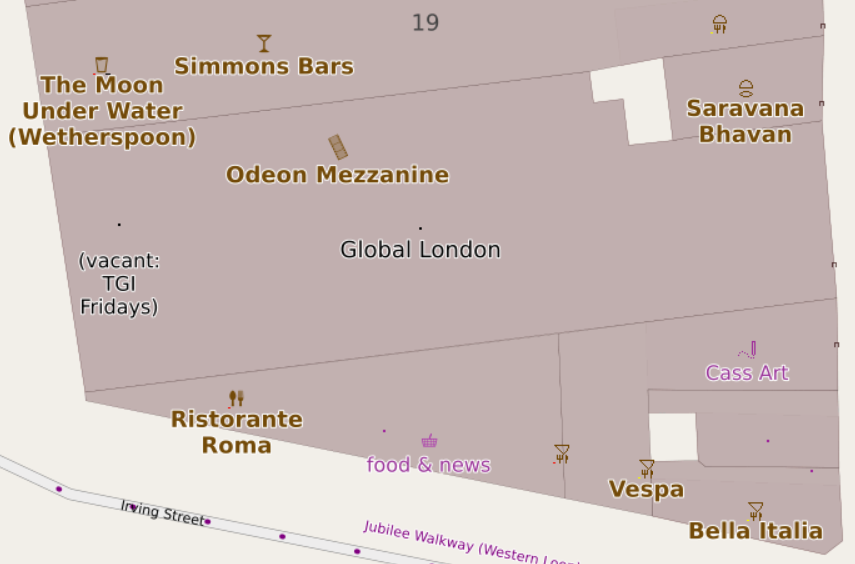
A map of part of London

I have a couple of web maps, and they are supposed to show pedestrian crossings. If there’s some crossing infrastructure (for example - zebra stripes, or tactile paving and a lowered kerb) you’re supposed to see a “crossing” icon. If there are traffic signals associated with the crossing, that icon should be replaced with a “traffic signals” one.

Years ago it was straightforward - you’d get a https://wiki.openstreetmap.org/wiki/Tag:highway=crossing tag on a node on the roadway, and there would be another tag, such as crossing_ref to say what sort of crossing it was. Some crossings (such as pelican, puffin and pegasus) have traffic signals; others (zebra and informal crossings) tend not to.

Unfortunately, it has got a lot more complicated.

Sometimes, the highway tag is crossing;<something> or <something>;crossing. Sometimes that something should be ignored and treated as a crossing.

See full entry

Location: Lot's Village, Brompton, Royal Borough of Kensington and Chelsea, Greater London, England, SW10 0PJ, United Kingdom

East Riding of Yorkshire Sign

There are a number of ongoing discussions about the geocoder on osm.org (Nominatim) in the forum at the moment. These include spelling tolerance, how it might work with data that does not exist in OSM yet and what it actually returns.

Sometimes the results of the last of those can be a bit odd. Here for example is a post office not far from me. The returned data (“Stillington Post Office & Stores, Main Street, Stillington, York, North Yorkshire, York and North Yorkshire, England, YO61 1JS, United Kingdom”) has three things that could plausibly be a county in there - York itself, North Yorkshire, and York and North Yorkshire. In OSM these are respectively a nearby https://wiki.openstreetmap.org/wiki/Tag:place=city node, and encompassing https://wiki.openstreetmap.org/wiki/Tag:admin_level=6 and https://wiki.openstreetmap.org/wiki/Tag:admin_level=5 relations.

See full entry

Location: Stamford Bridge, East Riding of Yorkshire, Hull and East Yorkshire, England, United Kingdom

How long does it take to create a new map style using OSM data?

Posted by SomeoneElse on 23 August 2025 in English. Last updated on 31 August 2025.

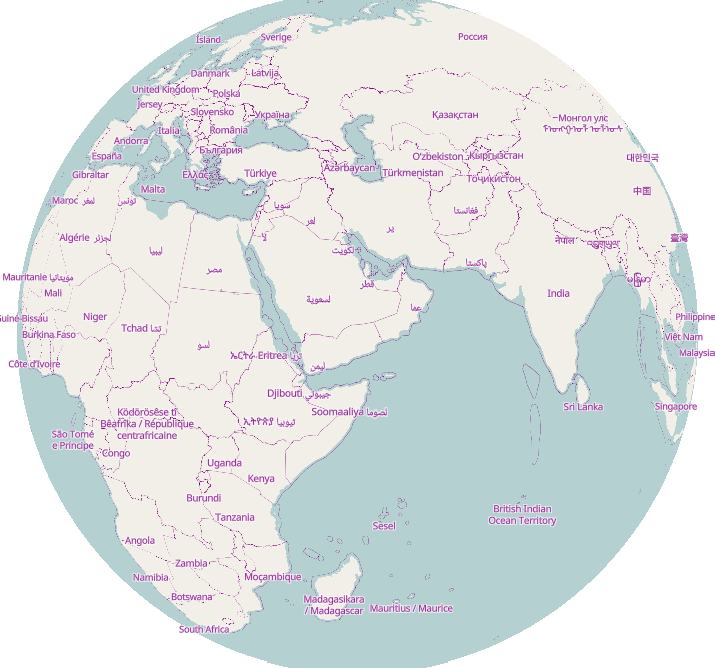
A globe view centred on the Indian Ocean

tl;dr: slightly less than an hour.

This was prompted initially by a forum comment (I can’t actually remember exactly where or by whom) that creating maps based on OSM was for “developers” and not “normal people” (not in those exact words), and by the thread here. The “slightly less than an hour” actually includes setting up a development environment from scratch on a new PC.

On that new PC I’ve already installed a text editor and a web server (“apache2”).

cd ~/src
git clone https://github.com/SomeoneElseOSM/SomeoneElse-vector-web-display
git clone https://github.com/systemed/tilemaker

In the first of those repositories there are a selection of map styles, including one that uses the OSMF demo vector tiles. Let’s first test that that works:

See full entry

Location: 2.470, 17.690

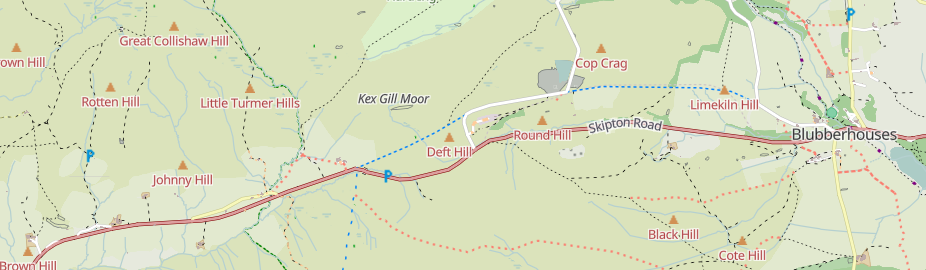
Kex Gill, west of Harrogate

Kex Gill (humorously named the “Côte de Blubberhouses” for a stage of the 2014 Tour de France) is a road in Yorkshire between Harrogate and Skipton. Part of it is gradually sliding down the valley that it is built half-way up the side of and is being rebuilt; it was the access tags on bridleways there that caught my eye in the first place.

See full entry

Location: Blubberhouses, North Yorkshire, York and North Yorkshire, England, United Kingdom

Large and small trees

Posted by SomeoneElse on 31 May 2025 in English. Last updated on 12 June 2025.

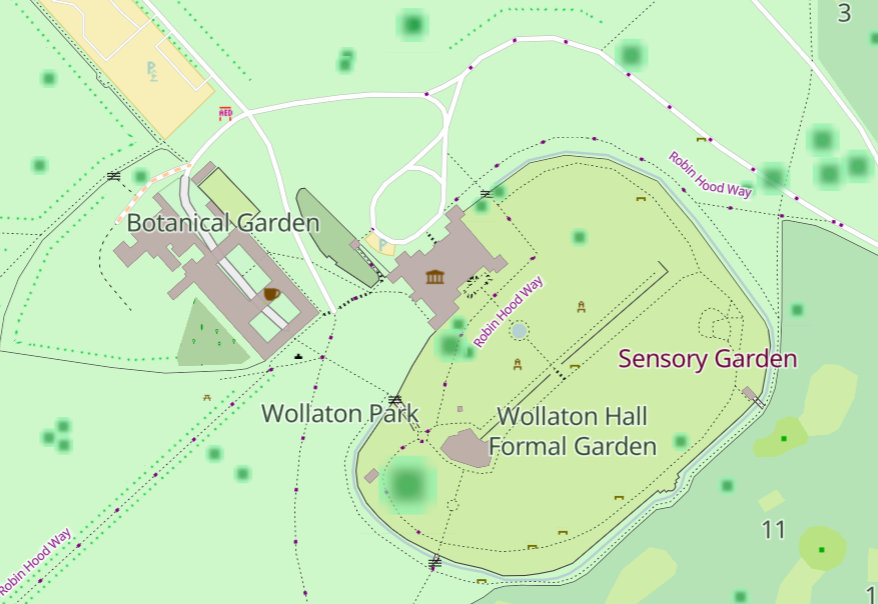
Some large and small trees in Woollaton Park

The diameter_crown tag is fairly well used for trees. It’d be nice when showing trees to show larger ones as larger than smaller ones. One challenge is that the values can be a bit hit and miss. There are a couple of sorts of issues there:

One is “obviously silly values from an import gone wrong” like the 289 https://wiki.openstreetmap.org/wiki/Tag:diameter_crown=width: 2.0; color: green; that have found their way into the database, perhaps by a failed JSON conversion.

Another is “human but not machine readable values” like “4 - 7 m

Another again is implausible values for certain tree types. For example, this is apparently a London Plane that is 5 times wider than it is high. That’s technically possible with a bit of pruning, but unlikely. Much more likely is that the data was not sanity checked before import, and the “diameter” figure here is actually a “circumference”.

In order to work around these issues, when processing the data prior to display I:

See full entry

Location: Selehurst, Lower Beeding, Crabtree, Horsham, West Sussex, England, RH13 6PR, United Kingdom

Using Josm's validator to check boundary relations

Posted by SomeoneElse on 21 March 2025 in English. Last updated on 21 September 2025.

Lots of people use editors such as iD, Potlatch, Vespucci, GoMap!! etc. for editing. There are entirely sensible reasons for this - I’ll always try and edit relations in Potlatch or iD since for me editing relations there is a much saner experience than in Josm. However, one thing that they miss is Josm’s Validator, which can check for relation errors that other editors can’t. Here’s how to use that to detect problems, and then fix them elsewhere.

I’ve created some test data on the dev server for this, so that I can deliberately create and fix errors. If you want to test with that data on the “dev” server, you’ll need to create an account there and tell Josm to login to that server - or you can just look at the screenshots below.

First, you’ll need to download Josm (I just downloaded the latest .jar file) . Josm’s user interface will be familiar to anyone who used CAD software in the 1980s, but may be less so to others.

Then you’ll need to download some data in the area that you were editing (file / download data / download). So that you can see what is where, it helps to have a background layer - “OpenStreetMap Carto (standard)” will work, or you can use an imagery layer if you prefer. Zoom in to your area of interest, select with the mouse and “download”.

Then click “validate” (on the row at the very bottom right of the screen). If “validate” does not appear, then “Help / Search Menu Items / Valid”, click the entry that appears, and click OK. The “validation results” area should apear with the big “Validate” button with a tick on it.

See full entry

Location: Shandonagh, Greenpark ED, The Municipal District of Athlone — Moate, County Westmeath, Leinster, Ireland

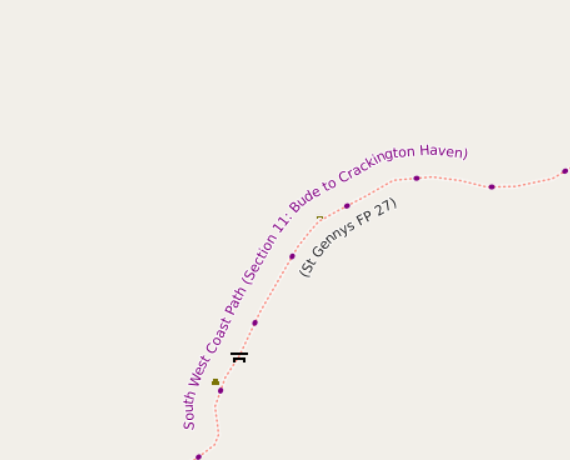
Screenshot of the part of the the Southwest Coast Path, with the silly name of South West Coast Path (Section 11: Bude to Crackington Haven)

I maintain a web map style that shows walking and cycling route names. For the cycle routes, it shows the ref. For some time I’ve massaged some of the names so that e.g. National Byway loops show as “NB (loop)” just like on the signage. However, as can be seen from the example above, some hiking route names are a bit convoluted - they’re more like descriptions than names.

For example, relation/3971851 is the England Coast Path. Open up the list of members to see the names, which includes such delights as “King Charles III England Coast Path: Southend-on-Sea to Wallasea Island”. I’m pretty sure that it doesn’t say that on the signs there.

See full entry

Location: Filey, North Yorkshire, York and North Yorkshire, England, United Kingdom

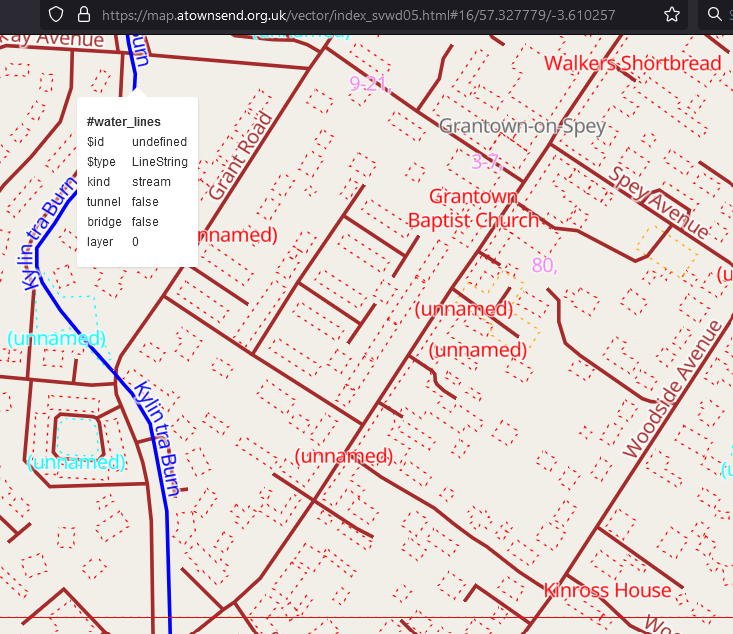
Screenshot of the svwd05 map style, showing a Walkers Shortbread shop in Scotland

I created this for my own use, but am sharing it here because it might be useful to other people too. This is the style and there’s a brief readme.

It uses different colours to highlight different map layers. It’s not supposed to look nice; just to show you what is there.

I believe that everything described in the schema is included. If a feature does not appear it might be because:

  • it’s not in the Shortbread schema.
  • it’s in the schema, but is for some reason missing from the OSMF vector tiles.
  • it’s in the tiles, but there’s a bug in this style.

There are lots of features in the first category, and there seem to be a couple in the second. If anyone finds anything in the third category please let me know!

Location: Inverallan, Grantown-on-Spey, Highland, Scotland, PH26 3NS, United Kingdom

Recently, there’s been quite a lot of discussion about the problems with using the tag “highway=path” in the forum. See for example threads here, here, here, here, here, here, here, here, here, here, here, here, here, here, here, here, here, here, here, here and here - and that’s only the last month or so!

It’s not descriptive

On it’s own, “highway=path” doesn’t really say anything other than it’s somehow possible to get from one end to the other. Have a look at the pictures in the wiki - all of those are regularly tagged as “highway=path” in some regions.

There are some really bizarre examples out there. Up the Hillary Step to get to the top of Everest? https://wiki.openstreetmap.org/wiki/Tag:highway=path. A scuba diving route? https://wiki.openstreetmap.org/wiki/Tag:highway=path.

While it is possible to add extra tags to say a bit more about the feature being mapped, often this simply isn’t done.

A data consumer (map maker, routing app creator or even just a human deciding whether to go for a walk somewhere) can’t tell what they’re going to find.

The idea is that you can tag a path for pedestrians as “highway=path; foot=designated” and one for cyclists as “highway=path; bicycle=designated”.

The problem here is that “foot” and “bicycle” are “access” tags, and these aren’t always “yes” or “no”. Valid values might be “customers”, “destination”, “permissive” amongst others. If the “foot=designated” on a “highway=path” implies “foot=yes”, what should the tagging be if only customers are allowed?

In countries with some form of allemansrätten (much of Scandinavia, some other places in Europe, including Scotland) this is less of an issue. If you know you can go pretty much anywhere you don’t need to explicitly tag “foot=yes” on everything, and tagging “highway=path; foot=designated” isn’t a problem.

See full entry

Location: Piethorn, Helmsley, North Yorkshire, York and North Yorkshire, England, YO62 5HL, United Kingdom

An sve01 / svwd01 vector map

For some time I’ve been looking after a raster map style that’s designed to be a useful “England and Wales rural pedestrian” map, and also to showcase some of the richness of data that might not be obvious from basic “general” map styles such as the ones on OpenStreetMap.Org.

A goal for some time has been an offline version of that map style. At any useful level of detail that requires different technologies to be used, and the first parts of that - a vector map schema and a web map style - are now available (though not yet available offline).

The online version of that map is available here. It’ll take a couple of seconds to appear.

How vector maps work

See full entry

Location: Erringden, Calderdale, West Yorkshire, England, United Kingdom

Unsuitable for motor vehicles mopeds and cyclists

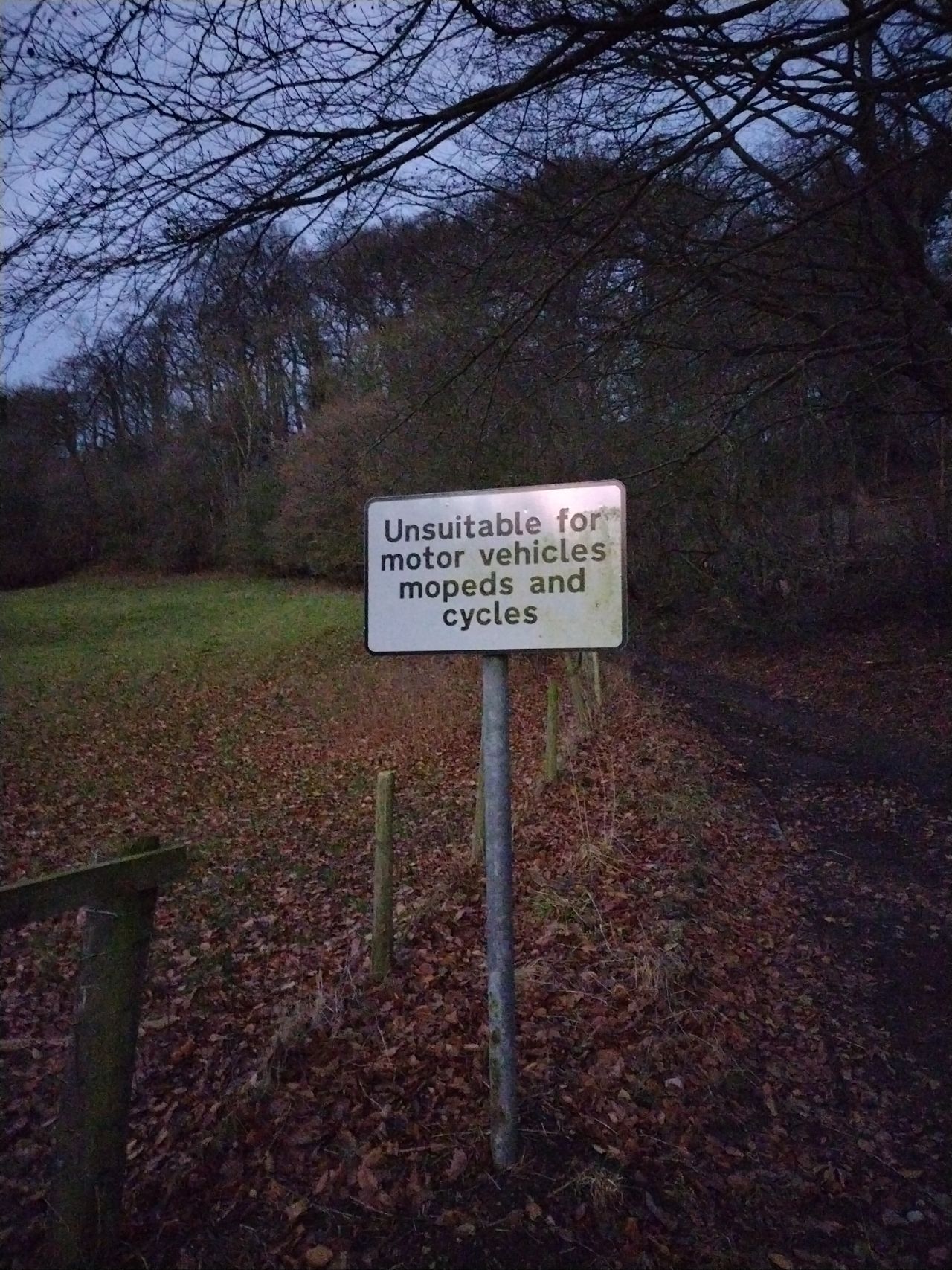
My previous diary entry looked at the UK section of this OSM wiki page. A commenter there noticed that neither the wiki table nor my analysis covered https://wiki.openstreetmap.org/wiki/Tag:highway=track (covered here) or https://wiki.openstreetmap.org/wiki/Tag:highway=service (left for later).

We’ll use the same approach as before. Essentially, that’s this urban area (and this when looking at designation), and this rural area.

It’s useful to look at designation because that tells us what some of the access values should be, and also local authority data about public rights of way such such as visible in this overlay. We’ll therefore ignore ways in OSM with designation set but look to see if any of our examples “should” be designated as a public right of way.

See full entry

Location: Oldstead Mill, Oldstead, North Yorkshire, York and North Yorkshire, England, YO61 4BL, United Kingdom

After reading this forum topic and commenting that the United Kingdom part wasn’t great because it didn’t consider the different rules in England and Wales, Scotland, and Northern Ireland, I wondered “what should the defaults actually be for England and Wales?”.

Of that table, I think that the rows down to living_street are correct, and of the remaining rows the columns across to moped are also correct. I decided to pick a couple of areas I’m familiar with (one urban, one rural) and look for examples in those areas without explicit access tagging. Based on that it should be possible to suggest some sensible defaults.

path

The default of no for everything through to moped is correct, which leaves horse, bicycle and foot.

path, horse, urban

https://overpass-turbo.eu/s/1P4E

https://overpass-turbo.eu/s/1P4G

Mostly these ways are https://wiki.openstreetmap.org/wiki/Tag:foot=permissive, and there’s no horse signage. In some of the parks horses might be tolerated; elsewhere likely not. This suggests https://wiki.openstreetmap.org/wiki/Tag:horse=no here.

path, horse, rural

https://overpass-turbo.eu/s/1P4I

https://overpass-turbo.eu/s/1P4H

Mostly these ways are https://wiki.openstreetmap.org/wiki/Tag:foot=permissive or =yes, and there’s no horse signage. In some of the parks horse access might be =permissive; in most cases not. This suggests https://wiki.openstreetmap.org/wiki/Tag:horse=no for these as well.

path, bicycle, urban

https://overpass-turbo.eu/s/1P4J

https://overpass-turbo.eu/s/1P4K

Mostly these ways are https://wiki.openstreetmap.org/wiki/Tag:foot=permissive. In a large number bicycle access is explicitly disallowed.

path, bicycle, rural

https://overpass-turbo.eu/s/1P4L

https://overpass-turbo.eu/s/1P4M

See full entry

Location: Kingstone, East Staffordshire, Staffordshire, England, United Kingdom

Yet another diary entry about vector tiles

Posted by SomeoneElse on 29 May 2024 in English. Last updated on 11 November 2024.

A simple "shortbread" / "VersaTiles Colorful" maplibre-gl vector map

Lots of people have written diary entries and there have been other announcements and demos. You might wonder why we need another?

The idea of this is to provide a “soup to nuts” guide in a similar style to the existing “Switch2osm” Serving Tiles guides for raster tile servers.

Introduction

There are two major pieces to this. The first piece creates a set of vector tiles that can be served by a web server. The second provides a way for clients to access that data - and clients also decide how to display it.

The code in this example is for web clients, but it’s also possible to create other sorts of clients too (for example, Android or iOS apps).

See full entry

Location: Larganhugh, Melvin Electoral Division, Manorhamilton Municipal District, County Leitrim, Connacht, Ireland

Example of different map styles

Let’s imagine that you’re a pizza delivery company, and you’ve got an app that shows where you are, where your customers are and where a delivery person is between the two. Obviously you need some sort of map that shows the three in context. You can’t use Google Maps for cost or other reasons, and whatever framework your using will accept raster tiles in the almost universal format https://server/Z/X/Y.png, so why not use OpenStreetMap’s standard layer? After all, it’s free!

Well:

See full entry

Location: Pizza, Uvu Uda, Askira-Uba, Borno State, Nigeria

Bus Stops

Posted by SomeoneElse on 18 March 2024 in English.

There’s lots of data stored in OSM about bus stops, but often maps and apps created with OSM data don’t make much use of it (with OsmAnd being the notable exception). For here’s a bus stop as shown by OSM Carto:

Bus stop in York in OSM Carto

You can see that it’s a bus stop, and you’d be able to see the name if you could zoom in a bit more. However, in OSM there’s actually lots more information. For the map styles that I look after (both web-based raster maps and for Garmin devices) I tried to add a bit more detail. Here’s the result:

See full entry

Location: Ouse Acres, Acomb, York, York and North Yorkshire, England, YO26 5SJ, United Kingdom