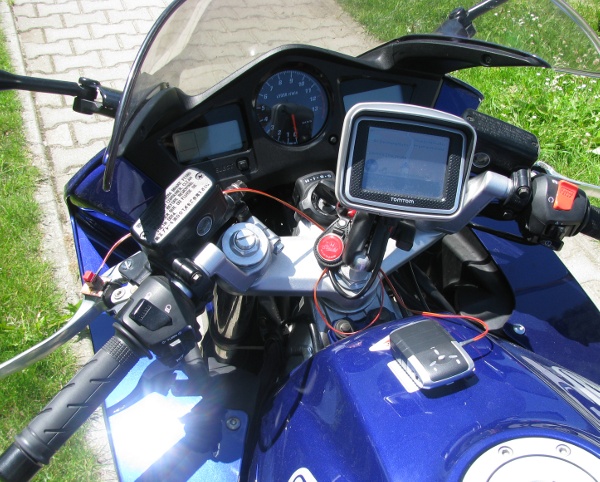
I use an i-Blue 747 GPS receiver and recorder which has a little extension so the button to record POI's can be external.
This external button is placed on the clutch lever of my motorbike (red button).
At the bottom of the receiver two magnets are attached, so the device can be placed on the tank of the bike.
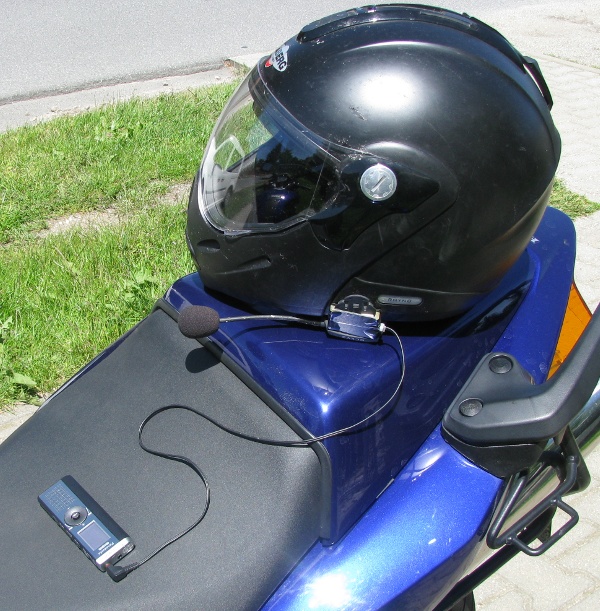
Together with the GPS track I record the texts using a Panasonic RR-US470 (see at Amazon, DE) voice recorder. As I have a TomTom Rider navigation system with headset I made a little adapter to be able to use the microphone of the headset (which has pretty good quality at the rather loud environment of my helmet :-)
How it works:
Turn on GPS receiver
Turn on voice recorder (in continous recording mode - no voice activation)
Press GPS-button and say "Start" at the same time
Now drive and press the button wehener something interesting comes - talk at the same time about what it is
When finished download data as GPX and as WAY file
Open GPS file in JOSM
Press right mouse on the GPX layer and choose menu point to load audio file
start audio playback until you hear "Start" text, then stop it (both using the dot on keyboard)
Press right mouse on the audio layer and choose option to synchronise data
Now the markers at the map are synchronised with the sound and entering data can start