 OpenStreetMap

If you are a drone mapper tired to see your imagery sitting in your own hard drive, stay tuned on OAM, it is coming to make sharing a much easier task!
OAM stands for OpenAerialMap. It is a collection of services related to sharing open imagery: uploading, hosting, indexing, searching, and using tile map services. Not only drone mappers, but also government agencies and satelitte imagery provider are expected to join the network, enriching the pool of available resources to be easily searchable by users.
HOT currently leads the development of OAM aiming to provide a simple solution to host and share imagery for humanitarian response and disaster preparedness. But it is worth noting that the final products won’t be restricted to humanitarian use. All the available imagery will be released freely under a Creative Common license, so one could use it for a variety of purposes. For instance, students and researchers will greatly benefit from OAM when looking for open imagery of specific areas.
I am working now on the development of a Quantum GIS (QGIS) plugin to communicate with OAM services. It will basically function as a desktop client for OAM. Using this plugin, GIS users wil be able to upload imagery to OAM, trigger the creation of web map services, search, browse and download imagery from the catalog.
This week I’ve just finished implementing the upload functions. Let’s have a tour in what we have so far.
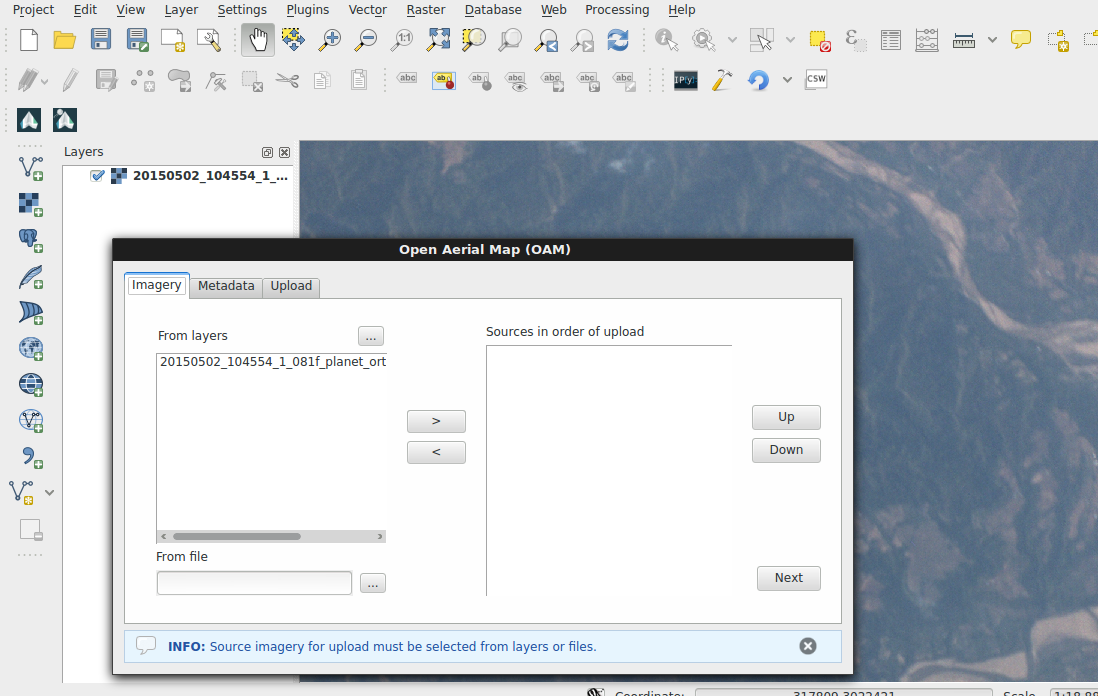
Through the Imagery tab the user can select data to be uploaded. It is possible to select layers currently loaded on the QGIS map canvas or any file existing on the computer, either a single GeoTiff image or a collection of files also known as VRT. Multiple sources can be selected and added to the upload list. Reordering of sources is also possible using the up/down buttons, and the upload will be performed on the order provided.
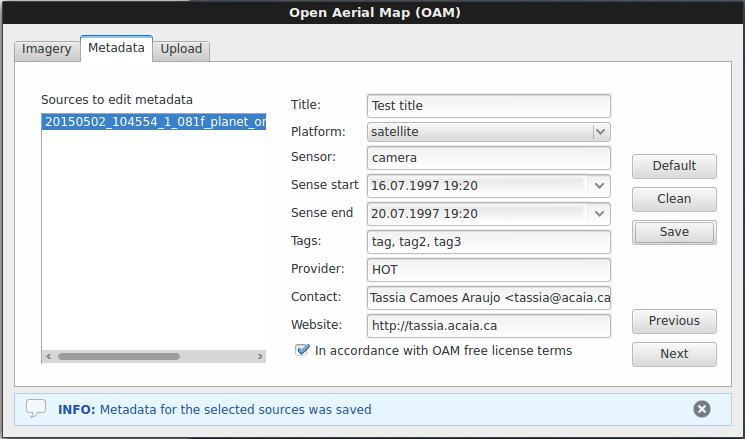
The “metadata” tab has been designed to allow the user input information that will compose the metadata sent to OAM catalog, along with automatically extracted data from the imagery files. The user must first select one or multiple data sources for which the current input refers to, and go on with filling the form.
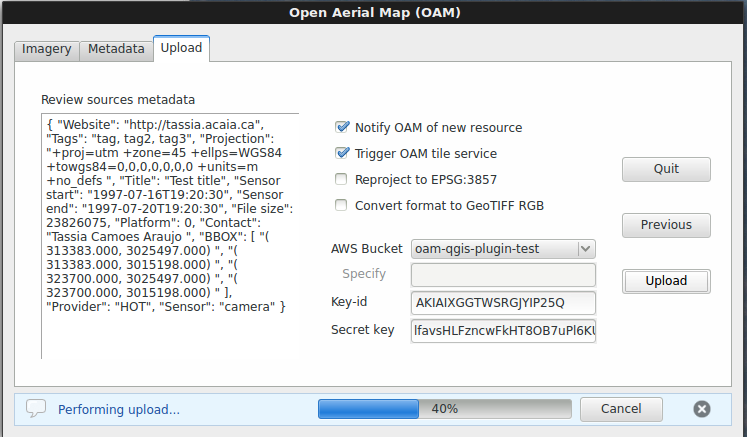
The last tab, “uplodad”, is where the user will review the full metadata file (generated + input info), select optional upload options, choose the upload destination and finally perform the upload.
If you want to have the full experience of our plugin in its current experimental stage, you can download it from our repository and follow the install instructions. Our next milestone is to develop the search and browsing functions. So stay tuned for the upcoming commits!
The OAM QGIS plugin team holds regular meetings on Wednesdays at 19:30 UTC and the general OAM team meeting happens on Thursdays at 18:00 UTC. Please don’t hesitate to show up and give your contribution, in the development side or with reports of user experience.
Thanks for reading!





Discussion