 OpenStreetMap

…and now a YouTube Video on Mapping Schools
Posted by alexkemp on 12 May 2020 in English. Last updated on 15 May 2020.JOSM HowTo: map schools
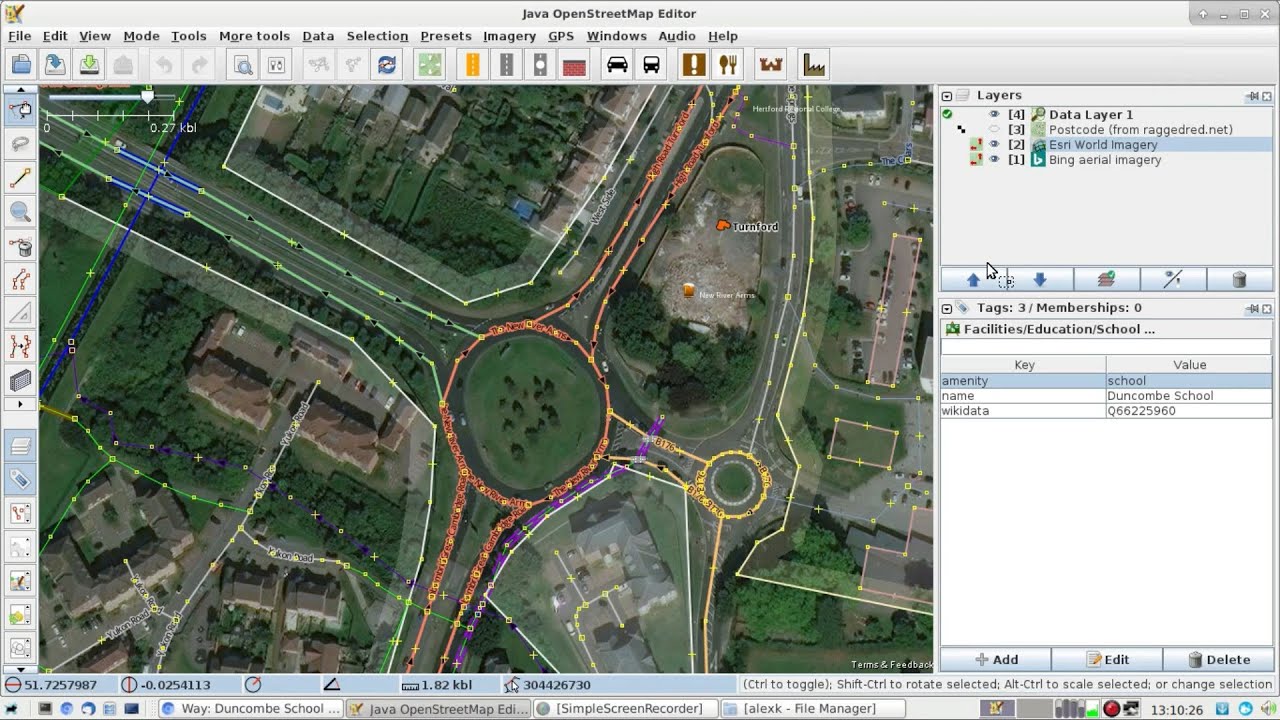
(above: using roundabouts to align imagery offsets)
My very first video(s) uploaded to YouTube. The first is very long, very slow. Hopefully, an easy entry-ramp for those considering using JOSM to map for OSM. Otherwise, 35 minutes of boredom.
(later videos are much shorter)
YouTube Video Links
- https://youtu.be/-Uz_WhLh0Gg (general introduction)
- https://youtu.be/9RLe2vDv6s0 (JOSM HowTo: map buildings)
- https://www.youtube.com/channel/UCicHmqvromwnU5GXYYhjTZg (the YT Channel)
JOSM links
- Download JOSM (use
alldist universefor Debian/Devuan) - JOSM: Installation help
- JOSM: General help
School Mapping links
- mathmos.net (choose a UK postcode)
- EduBase (England) (register of schools and colleges in England)
- DoE (NI) (register of schools and colleges in Northern Ireland)
- EA (NI) (Education Authority search in Northern Ireland)
- Schools Directory (useful sometimes for school website - 1st link in list)
- school ‘operator’ tag (diary entry)
- relations for school cadastre (diary entry)
- adding schools to OSM map (diary entry)
Utilities that help whilst making YT desktop videos:
SimpleScreenRecorder (Wikipedia):–


Utilities for Desktop presentation (14 May addition):
I made all my mistakes (probably not ALL!) in that first video. Certainly, the best way to learn is to do the work. Here are some useful lessons & utilities drawn mostly from the lessons of those mistakes:
Do NOT use RecordMyDesktop
I actually used SimpleScreenRecorder (links at top) for the first video, and it worked fine. However, most links that I saw on the inter-webs seemed to be for RecordMyDesktop.
The 1st video was general rather than specific, and a bit long, so I made a point with the next 3 to make them short & to the point. Unfortunately I used RecordMyDesktop (thinking that I had used it for the 1st video) and only afterwards discovered that it had made a complete abortion of rendering the desktop for each video — the only fix was to delete all three. I work under Devuan ascii; YMMV.
I have SimpleScreenRecorder set to record the desktop as a MP4 file (there are many other options). It does that on the fly, so the file is ready immediately the stop-record button is pressed. I’ve used it under high memory-load conditions without problems.
RecordMyDesktop renders the video only after recording is stopped, and takes some time to do it. Output is to an OGG file, with zero options. On playback the screen kept ‘tearing-up’ whenever the desktop image changed. I tried reducing the memory load, but nothing made any difference. As I had a working alternative I removed RecordMyDesktop from my system to stop me from making the same daft mistake again.
Use a Camera Slate (Clapboard / Clapperboard)
The link at top is for a 1-second YT video, which does what it states on the can; it gives a high-volume crack so that you can co-ordinate sound & vision.
This was missing for my first video, and you can tell.
With all my videos there are separate recordings for sound & vision. SimpleScreenRecorder is capable of recording sound and, indeed, I set it to do so, though there is virtually none to record. Voice is recorded on to my mobile from a bluetooth headset (nice & clear). The problem then is to sync the two.
The YT video (“clapperboard.mpeg”) is a direct copy of the classic way to synchronise the two tracks. The video track from SimpleScreenRecorder shows a single audio-spike at the point of the clapperboard crack, and the audio track from my headset shows the same (I make a point of staying silent whilst the video runs). It is then a simple method of lining the two spikes up to each other (I use Kdenlive and the two tracks are laid out on top of each other). Very simple, very elegant.
Use Key Status Monitor
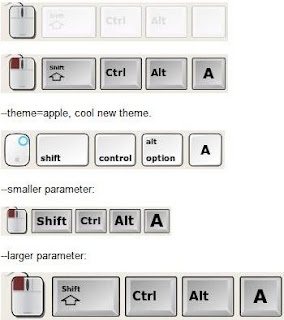
This is a simple utility that provides a continuous read-out of all keys pressed. That is essential if making a demonstration of how-to use a keyboard-driven computer to do something. The viewer gets a direct readout of which of the 3 mouse buttons and/or which keyboard keys were pressed when you do something. So useful.





Discussion