OpenStreetMap

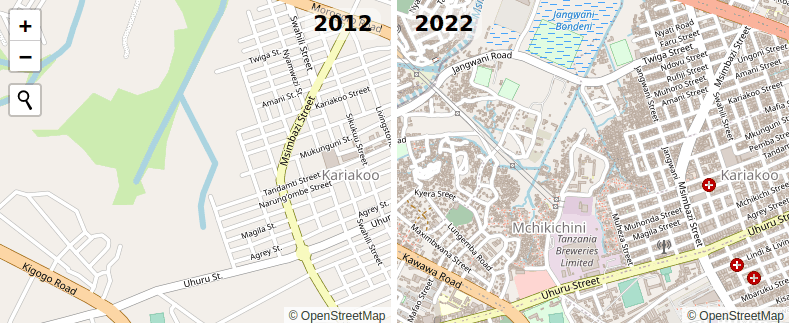
Ilya wrote about the 10th anniversary of OSM adopting the ODbL license yesterday. He has a cool 2012-2022 map compare web site to go with it. It’s incredible to see what we, the OSM community, have accomplished building our map in 10 years.
Ilya is a pretty technical guy and it’s not a huge thing for him to set up an OSM tile server from scratch. But what if you want to create something similar and you’re perhaps not quite that technical? If that’s you, I have something you might be interested in! It’s a little open source project on Github called openstreetmap-vintage-tile-server. With it, you can create a side-by-side map in a few pretty simple steps. The README on Github explains it pretty well, so I won’t repeat it here, but the steps are basically:
- Make sure you have
dockerandosmiuminstalled - Download a full history planet for the area you’re interested in (Geofrabrik has these, but you have to log in with your OSM account)
- Run the script
When it finishes, the tiles should be available on your local machine. The script will give you the URL to go to. There’s also an HTML example that you can use to create an interactive side by side map like this:
.jpg)